Try VuDrop for Yourself

Follow the steps below to experience the full workflow — from app installation to video recording and sharing.

1

Download VuDrop App

Install the VuDrop app on your smartphone.

Google Play

Download

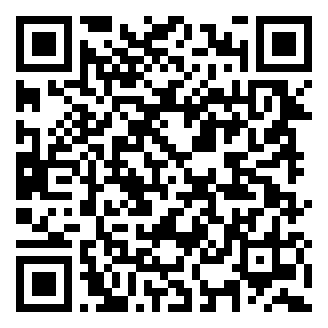
Google Play QR Code

Enlarge

App Store

Download

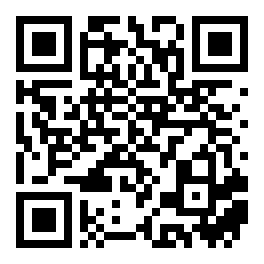
App Store QR Code

Enlarge

Download on Google Play

Scan the QR code with your smartphone camera

Google Play QR Code Go to Google Play Store

Download on App Store

Scan the QR code with your smartphone camera

App Store QR Code Go to App Store
2

Device Registration (Login QR)

Scan the QR code below with the app to register your demo device.

VuDrop Demo Device Registration QR Code

Device Registration

Waiting — Please scan the QR with the app

1. Open the VuDrop app

2. Tap the "Register Device via QR" button

3. Scan the QR code on the left

4. The status will change to "Connected"

3

Scan Tracking Barcode → Start Recording

Scanning the tracking barcode automatically starts recording the packing video.

Test Tracking Barcode 6012345678900

Test Tracking Barcode

How to Record

After device registration, the app switches to camera + scanner mode.

Scan the barcode shown on screen with the app to start recording.

1. Scan the test barcode on the left with the app

2. Video recording starts automatically

3. Film the packing process

You can also scan any real package barcode you have at home!

4

Stop Recording (Packing Complete QR)

Scan the QR below while recording to stop the recording and automatically upload the video.

VuDrop Packing Complete QR Sticker

Packing Complete

1. Film the packing process

2. When done, scan the "Packing Complete" QR on the left

3. Recording stops and the video is uploaded to the server

4. You can check it in the clip list below

In actual operation, print this QR sticker and place it at your workstation, then hold it in front of the camera when needed.

Return Inspection QR

Return Inspection

Cancel Recording QR

Cancel Recording

5

View Clips & Share

Uploaded videos appear in the list below. Copy the share link to check the video viewer.

Type Tracking No. Size Uploaded Status Share
Packing 6012345678900 0 MB 2026-03-24 04:38 Expired -

The demo session automatically ends after 15 minutes. Clips are automatically deleted after 1 day.

Why VuDrop Stands Out

Auto Barcode Detection

Scanning the tracking barcode automatically starts recording.

One-Click Sharing

Send the generated link to your customer so they can watch the video instantly.

Dispute Prevention

Packing and return inspection videos proactively prevent shipping disputes.

Easy Management

Manage clips, credits, and devices all in one place from the dashboard.

Frequently Asked Questions

What is VuDrop?

VuDrop is a B2B SaaS service that automatically records packing and return inspection videos for online stores and shares them with customers via a link, preventing shipping disputes. Scanning the tracking barcode automatically starts recording — no extra steps required.

Can I use VuDrop without a Cafe24 store?

VuDrop can be used independently of any specific e-commerce platform. Simply sign up with your email to get started.

How long are videos retained?

Videos are retained automatically from 14 days (Free) up to 35 days (Unlimited) depending on your plan. They are automatically deleted after the retention period. Important videos can be set to permanent retention.

Can I start with the free plan?

Yes, the Free plan allows up to 10 clips per month at no cost. Sign up with your email to get started right away. You can upgrade to a paid plan at any time as your volume grows.

Get Started Today

Sign up with your email in minutes
and start using the free plan instantly.

Start for Free